Deploy on a fresh VPS with Docker (verified)
This is a complete, step-by-step guide to a production deployment on a brand-new VPS (Ubuntu/Docker), verified end-to-end. Bring your own reverse proxy (Cloudflare Tunnel, nginx, …).
1. Provision the VPS
- A small VPS is fine (2 vCPU / 4 GB RAM / 30 GB disk is sufficient — BTCPay + the plugin add ~2.8 GB RSS over Docker).
- Install Docker and the .NET 10 SDK (only needed to build the plugin and
.btcpay). - Create a dedicated Docker network and a Postgres container:
docker network create btcpay-network
docker run -d --name btcpay-pg --network btcpay-network --restart unless-stopped \
  -e POSTGRES_PASSWORD='<postgres-password>' -p 127.0.0.1:5432:5432 postgres:16
docker exec btcpay-pg psql -U postgres -c "CREATE DATABASE btcpayserver;"
2. Build the plugin
git clone https://github.com/sansbankdao/btcpay-dash-evolution.git && cd btcpay-dash-evolution
dotnet build Plugins/DashEvolution/BTCPayServer.Plugins.DashEvolution.csproj -c Release
OUT=Plugins/DashEvolution/bin/Release/net10.0

mkdir -p ~/btcpay-docker/plugins/BTCPayServer.Plugins.DashEvolution
cp $OUT/BTCPayServer.Plugins.DashEvolution.dll ~/btcpay-docker/plugins/BTCPayServer.Plugins.DashEvolution/
cp $OUT/BTCPayServer.Plugins.DashEvolution.deps.json ~/btcpay-docker/plugins/BTCPayServer.Plugins.DashEvolution/
cp Plugins/DashEvolution/BTCPayServer.Plugins.DashEvolution.json ~/btcpay-docker/plugins/BTCPayServer.Plugins.DashEvolution/
# Package the distributable .btcpay archive too (manifest + dll + deps.json at the zip root):
STAGE=$(mktemp -d)
cp $OUT/BTCPayServer.Plugins.DashEvolution.dll $OUT/BTCPayServer.Plugins.DashEvolution.deps.json $STAGE/
cp Plugins/DashEvolution/BTCPayServer.Plugins.DashEvolution.json $STAGE/
(cd $STAGE && zip ~/btcpay-docker/plugins/BTCPayServer.Plugins.DashEvolution.btcpay ./*) && rm -rf $STAGE
The plugin must be present as an EXTRACTED directory named by its
Identifier(BTCPayServer.Plugins.DashEvolution/, containingBTCPayServer.Plugins.DashEvolution.json
- the dll + deps.json). A
.btcpayfile alone is NOT loaded by the packaged base image. Place both in~/btcpay-docker/plugins/.
3. Place the native library
mkdir -p ~/Workspace/native
cp libplatform_wallet_ffi.so ~/Workspace/native/   # see "Native Library Setup" above
4. docker-compose.yml
Create ~/btcpay-docker/docker-compose.yml:
version: "3.7"
services:
  btcpayserver:
    image: btcpayserver/btcpayserver:2.3.7     # check https://hub.docker.com/r/btcpayserver/btcpayserver/tags for the current release
    restart: unless-stopped
    ports:
      - "127.0.0.1:14142:23000"
    environment:
      BTCPAY_HOST: your-domain.example
      BTCPAY_CHAINS: btc                       # see note below — do NOT put dashe here
      BTCPAY_POSTGRES: Host=btcpay-pg;Port=5432;Database=btcpayserver;Username=postgres;Password=<postgres-password>
      BTCPAY_CHEATMODE: "false"
      BTCPAY_BIND: 0.0.0.0                     # required: the packaged image otherwise binds to localhost only
      DASHE_NATIVE_LIB: /native/libplatform_wallet_ffi.so
      DashEvolution__DapiAddresses: https://<mainnet-dapi-node>:443,https://<another>:443   # see note below
      DashEvolution__Mainnet: "true"
      DashEvolution__Mnemonic: <your 24-word BIP-39 mnemonic>
      DashEvolution__AccountIndex: "0"
      DashEvolution__ShieldedDbPath: /data/dash_shielded.sqlite
      DashEvolution__SyncIntervalSeconds: "15"
    volumes:
      - btcpay_data:/data
      - ./plugins:/root/.btcpayserver/Plugins
      - ~/Workspace/native:/native:ro
    networks:
      - btcpay-network

networks:
  btcpay-network:
    external: true

volumes:
  btcpay_data:
Critical gotchas (all verified on a fresh host):
BTCPAY_CHAINS: btc— the packaged base image does not knowdasheand exits withInvalid chains "dashe"if you set it. The plugin registersDASHEat startup; the log then showsSupported chains: BTC,DASHE.BTCPAY_BIND: 0.0.0.0— without it the container only listens on localhost from its own perspective and nothing reaches port 14142 (connection refused).- Do NOT set
DashEvolution__WalletIdHex. The wallet id is derived from the mnemonic and auto-created (Auto-created DashEvolution wallet id …in the log). Setting it manually with a mismatched value throwsWalletIdHex mismatchat startup. - Secrets: keep the mnemonic out of git — either put this file in a private, gitignored
directory, or split secrets into an un-tracked
docker-compose.override.yml/.envfile. DapiAddresses— the IPs above are placeholders. Fetch the current enabled-node list fromhttps://quorums.mainnet.networks.dash.org/masternodesand pick ~10-20 enabled mainnet nodes exposing their Platform DAPI on port 443, formatted ashttps://<ip>:443, comma-separated.8333 connection refused/ NBXplorer errors in the log are harmless — the packaged image tries to SPV-sync BTC headers and there is no Bitcoin Core on this box.DASHEis unaffected.
5. First start & verification
cd ~/btcpay-docker && docker compose up -d
docker logs -f <project>-btcpayserver-1 2>&1 | grep -aE "Running plugin|Supported chains|sync started|Baseline seeded|Auto-created"
Expected lines (in order): Running plugin BTCPayServer.Plugins.DashEvolution - 1.0.0.0 →
Supported chains: BTC,DASHE → Auto-created DashEvolution wallet id … →
DashEvolution sync started for wallet … → Baseline seeded on first sync pass: balance=… (no invoice matching on first pass). A New invoice created now survives restarts (see
“Restart behavior” in Limitations).
6. Debugging first boot
If the app never listens on 14142, read the full log, not only ERR entries — a
wallet-not-configured FATAL means the mnemonic env was missing/misparsed.
7. Bootstrap the first admin (API + one-time SQL fixes)
The initial admin cannot log in via Greenfield basic auth out of the box when created through the API — three documented gaps require one-time SQL fixes:
# 1) Create the user (allowed while the instance has no admin):
curl -s -X POST http://127.0.0.1:14142/api/v1/users \
  -H "Content-Type: application/json" \
  -d '{"email":"you@example.org","password":"<strong-password>"}'

# 2) Fix the three API-creation gaps (EmailConfirmed, basic-auth flag, ServerAdmin role)
#    — substitute the user id returned above:
cat > /tmp/fix_admin.sql <<EOF
UPDATE "AspNetUsers" SET "Blob2" = jsonb_set(COALESCE("Blob2",'{}'::jsonb), '{allowGreenfieldBasicAuth}', 'true'::jsonb) WHERE "Email" = 'you@example.org';
UPDATE "AspNetUsers" SET "EmailConfirmed" = true WHERE "Email" = 'you@example.org';
UPDATE "AspNetUsers" SET "Blob2" = jsonb_set("Blob2", '{showInvoiceStatusChangeWarning}', 'true'::jsonb) WHERE "Email" = 'you@example.org';
INSERT INTO "AspNetRoles" ("Id","Name","NormalizedName","ConcurrencyStamp")
  SELECT 'ServerAdmin','ServerAdmin','SERVERADMIN', gen_random_uuid()::text
  WHERE NOT EXISTS (SELECT 1 FROM "AspNetRoles" WHERE "Name"='ServerAdmin');
INSERT INTO "AspNetUserRoles" ("UserId","RoleId")
  SELECT '<user-id>', 'ServerAdmin'
  WHERE NOT EXISTS (SELECT 1 FROM "AspNetUserRoles" WHERE "UserId"='<user-id>' AND "RoleId"='ServerAdmin');
-- If login was attempted before these fixes, "FirstRun" may be stuck true:
DELETE FROM "Settings" WHERE "Id" = 'BTCPayServer.Services.PoliciesSettings' AND "Value"::jsonb ->> 'FirstRun' = 'true';
EOF
docker cp /tmp/fix_admin.sql btcpay-pg:/tmp/ && docker exec btcpay-pg psql -U postgres -d btcpayserver -f /tmp/fix_admin.sql
This is a BTCPay Server limitation, not a plugin issue: the Greenfield
POST /api/v1/usersendpoint creates the user withEmailConfirmed=false,allowGreenfieldBasicAuthunset, and NO roles — the first admin must be registered through the MVC UI to avoid this, or fixed with the SQL above.
8. Create the store (note the units)
SID=$(curl -s -X POST http://127.0.0.1:14142/api/v1/stores \
  -u 'you@example.org:<strong-password>' -H "Content-Type: application/json" \
  -d '{"name":"My Store","defaultCurrency":"USD","invoiceExpiration":54000,"paymentTolerance":2.0}' \
| python3 -c "import json,sys; print(json.load(sys.stdin)['id'])")invoiceExpirationis in SECONDS over the API (54000 = 15 hours).monitoringExpirationlikewise.paymentTolerancepercent: shielded receives arrive slightly under the invoice amount (the sender-side Orchard fee varies), so use2.0for the demo. Must be set BEFORE the invoices you intend to settle — existing invoices keep the tolerance baked in at creation.
9. Enable the DASHE-CHAIN payment method
The Greenfield endpoint PUT /api/v1/stores/{storeId}/payment-methods/DASHE-CHAIN currently
rejects new payment-method ids for a store that has never had one (verified: paymentmethod-not-found). The only working method on a fresh store is a direct DB write (no BTCPay restart needed — the next invoice picks it up):
docker exec btcpay-pg psql -U postgres -d btcpayserver -c \
"UPDATE \"Stores\" SET \"DerivationStrategies\" = '{\"DASHE-CHAIN\": {\"walletIdHex\": \"<64-hex wallet id from the startup log>\"}}' WHERE \"Id\" = '$SID';"
Confirm with a test invoice (POST /api/v1/stores/$SID/invoices {"amount":0.25,"currency":"USD"})
and read back paymentPrompts — DASHE-CHAIN should appear with the shielded address and a
quoted rate.
10. Point the domain
Any reverse proxy works. With Cloudflare Tunnel (dashboard-created token tunnel):
cloudflared service install <token> with the public hostname routed to http://localhost:14142.
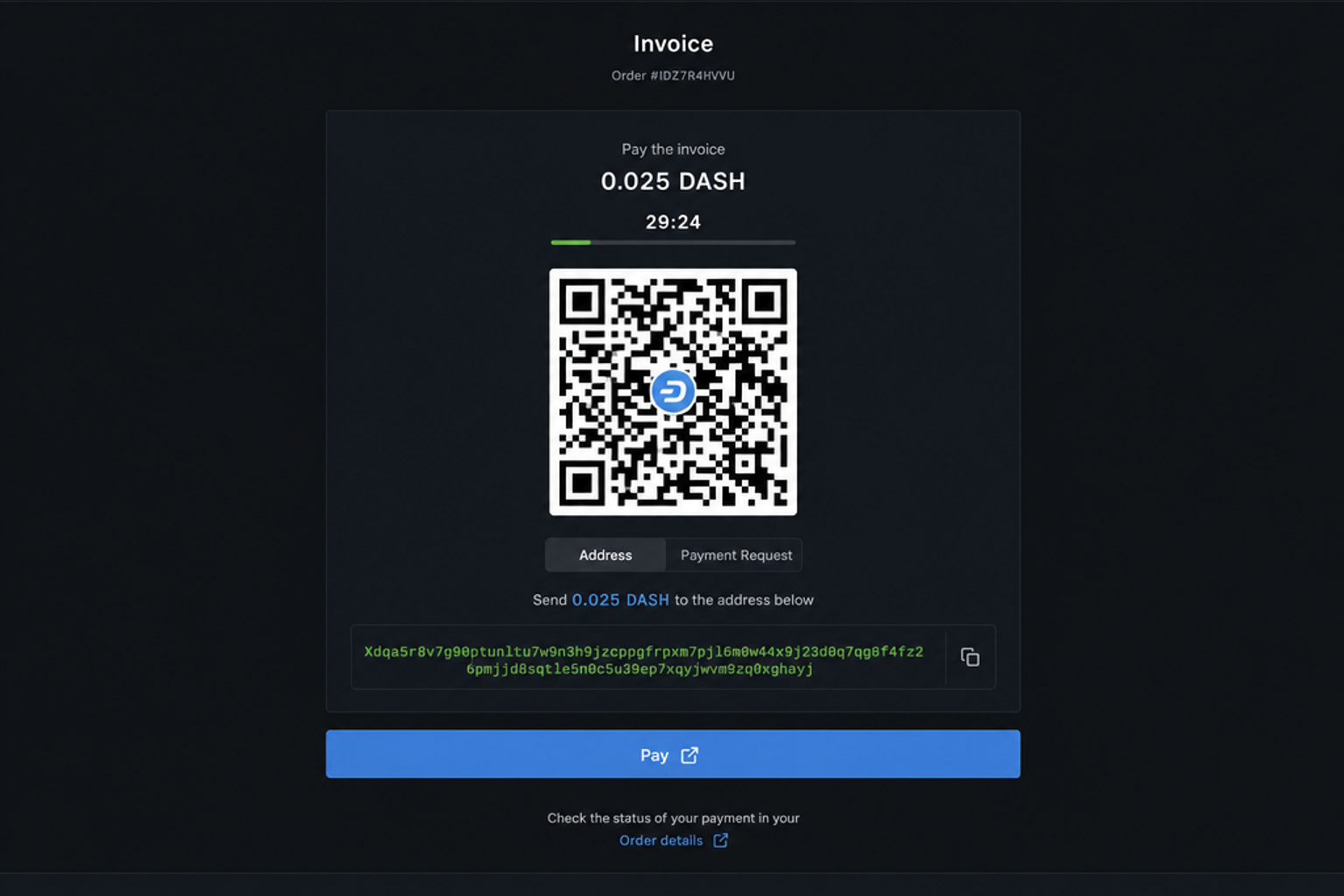
Then browse https://your-domain.example/i/<invoiceId> — the checkout shows the shielded
address as a QR code and the wallet identity string.